An AI agent is software that takes a goal, decides what to do, calls tools, and reports back without you holding its hand at every step. Below are 15 production-grade agent patterns we see working in real businesses right now, grouped into sales, content, ops, and support. Each one is small enough to copy in a weekend. The interesting work is not building them - it is wiring them into a system that already has leads, accounts, and an inbox.
TL;DR: The agents that make money are narrow, repetitive, and tied to a clear trigger. SDR outreach, inbox triage, lead qualification, content drafting, research summaries, CRM enrichment. Skip the autonomous-everything fantasy. The 15 examples below are the ones that survive contact with real customers.
What Counts as an AI Agent (vs Just a Prompt)
AI agent: a software workflow where a language model is the controller - it reads a goal, picks tools from a defined set, calls them in sequence, observes the output, and decides what to do next. The difference from a one-shot prompt is the loop: an agent can fetch context, take action, and react to results. The difference from full autonomy is scope: a useful agent has a narrow job, fixed tools, and clear stop conditions.
If a workflow just calls GPT once and returns text, that is a prompt. If it loops, makes decisions, and calls external tools, it is an agent. Both are useful. Only the second one belongs in a list of "agents".
Sales and Outreach Agents
1. SDR Agent (cold outreach + reply handling)
The most common agent in production. It takes a list of prospects, drafts personalized first-touch messages across LinkedIn and email, sends them on a schedule, classifies replies (interested, not interested, refer me to, out of office), and either books a meeting or routes the conversation to a human. Trigger: new lead added to a list. Tools: LinkedIn API, email send, calendar, CRM update.
2. Lead Qualification Agent
Sits between raw inbound and your calendar. When a lead replies "interested", the agent asks 2-3 qualifying questions (company size, role, use case), scores the response against an ICP rubric, and either books a call or sends a polite no. Saves humans from triaging junk. Tools: messaging channel, scoring function, calendar booking link.
3. Appointment Setter Agent
Pure scheduling. Picks up a qualified lead, proposes 3 specific times based on real calendar availability, handles timezone math, sends the invite, follows up if there is no confirmation in 24 hours. The unsexy work that closes the gap between "interested" and "booked".
4. Reactivation Agent
Runs against your dead CRM. Pulls accounts with no activity in 6+ months, drafts a context-aware re-engagement message referencing what they originally inquired about, and sends across the channel they used last. Most CRMs have thousands of dead leads worth a single touch from an agent.
Content and Marketing Agents
5. Long-Form Content Agent
Takes a brief (topic, audience, keyword, examples) and produces a structured blog post or newsletter. The non-trivial part is the tool stack: it searches the web for current data, pulls competitor content, drafts an outline, writes section by section, and self-critiques against a style guide before finalizing. Good ones write at human floor quality. Great ones write better than tired humans.
6. Social Post Agent
Generates LinkedIn, X, and Instagram posts on a recurring cadence from a single content blueprint (founder voice, niche, examples). Schedules them, varies format (text, carousel, video script), and pulls performance data back into the next batch. Trigger: cron job. Tools: content generation, image generation, scheduling API.
7. Repurposing Agent
Turns one input into ten outputs. Feed it a podcast transcript, a YouTube video, or a long article and it produces clips, quote graphics, threads, LinkedIn posts, a newsletter section, and a short-form video script - all in the source's voice. The agencies running this charge $2K+ per month per client to do it manually. The agent does it in 8 minutes.
8. Comment-to-DM Agent
Watches a social post for comments matching a trigger keyword, automatically DMs the commenter with a contextual response and lead magnet, then routes them into a nurture sequence. The legitimate version of the "comment 'GUIDE' below" pattern that creators use - except an agent handles every reply individually instead of dropping the same link in 200 inboxes.
Ops and Research Agents
9. Research Agent
Give it a company name or a person. It returns a structured brief: what they do, recent funding, hiring signals, tech stack, news mentions, top decision-makers, and a hypothesis about their current pain. Tools: web search, LinkedIn lookup, news API, SerpAPI. Used as a pre-step before any sales outreach or strategic call.
10. CRM Enrichment Agent
Loops through CRM records with missing fields, searches public sources to fill them (job title, company size, industry, tech stack), and updates the record. Cleaner than buying enrichment credits if you have specific fields the off-the-shelf providers do not cover.
11. Reporting Agent
Runs every Monday morning. Pulls last week's numbers from your CRM, ad platforms, and product analytics, drafts a written narrative explaining what changed and why, flags outliers, and drops it in Slack. The 30-minute task your operator was doing manually, now done before they wake up.
12. Competitive Intel Agent
Monitors a list of competitors. Tracks pricing page changes, new blog posts, product launches, hiring patterns, and review sentiment. Compiles a weekly digest. Better than the random "hey did you see what X just shipped" Slack messages most teams rely on.
Support and Customer Agents
13. Support Triage Agent
First responder on every incoming ticket. Classifies the request (bug, billing, feature, churn risk), pulls relevant account context from the CRM, drafts a first response, and routes to the right human or resolves it directly for tier-1 questions. Tools: ticketing API, knowledge base search, CRM lookup. Cuts response time from hours to seconds for the boring 60% of tickets.
14. Onboarding Agent
Takes a new customer through their first 14 days. Checks setup milestones, sends contextual nudges when someone gets stuck, books a call if they are about to churn, celebrates first-value moments. Reads from your product analytics, writes to your messaging channel. The single biggest lever on retention most SaaS companies still do by hand.
15. Knowledge Base Agent
Sits in front of your help center and engineering wiki. When someone asks a question in Slack or your support inbox, it searches the docs, finds the answer, cites the source, and responds. When it cannot find an answer, it flags the gap as a docs ticket. Builds the knowledge base while answering questions from it.
What we see in our build practice: the agents that survive past month one share three traits. They have a specific trigger (not "run whenever"), a bounded toolset (under 10 tools), and a clear handoff to a human when confidence drops. The ones that fail try to do everything and end up being trusted on nothing.
How These Run on ACA via MCP
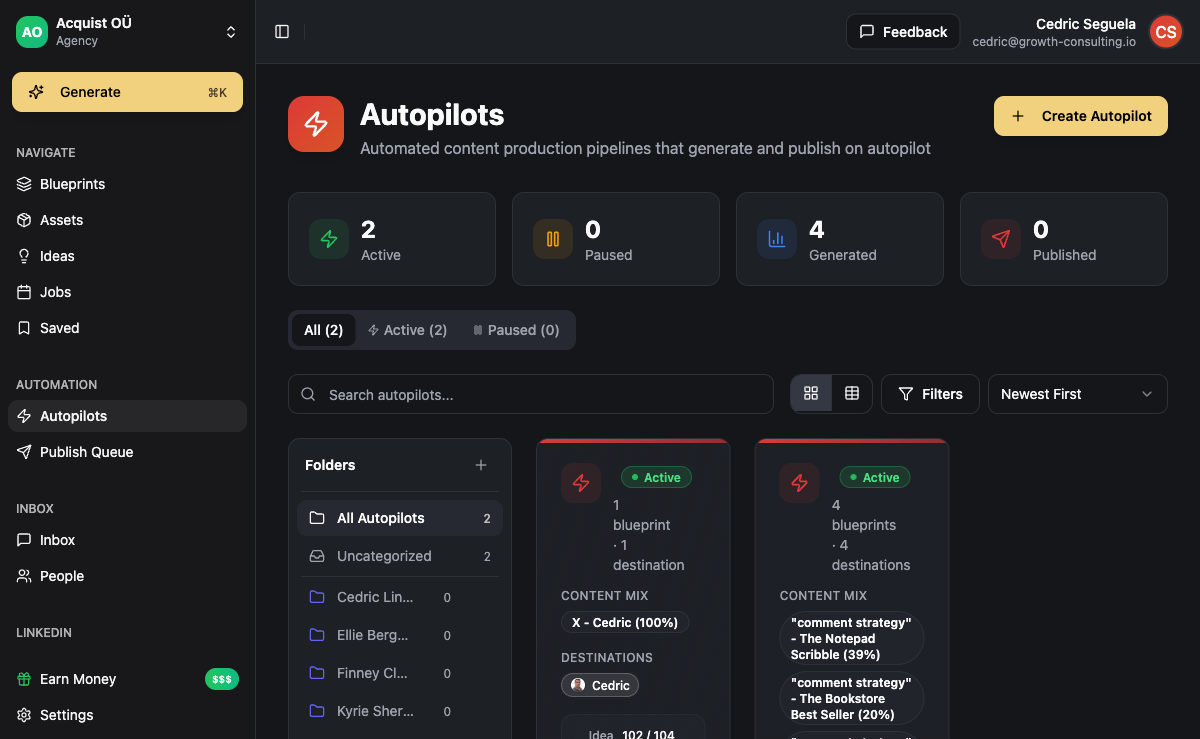
Every agent above needs the same boring infrastructure: a place to read leads from, channels to send through, an inbox to catch replies, and a database to update. Most agent demos break the moment you try to wire them into a real business because that infrastructure is missing.
ACA exposes its outreach engine, content pipeline, CRM, and unified inbox through the Model Context Protocol (MCP). That means any agent you build - in Claude Desktop, Cursor, n8n, or a custom Python script - can call ACA as a tool. The agent decides what to do. ACA does the execution.
Concrete wiring for the SDR agent (#1) on ACA:
- Trigger: new lead lands in a campaign segment
- Tools the agent calls via MCP:
aca.lead.get_context,aca.message.draft,aca.campaign.send,aca.inbox.classify_reply,aca.calendar.book - Stop condition: reply classified as "booked", "not interested", or 5 follow-ups sent
- Handoff: any reply with confidence under 0.7 is flagged for human review in the unified inbox
The same pattern works for the content agent (#5), the research agent (#9), the triage agent (#13), and the rest. You write the agent logic once, point it at ACA's MCP server, and it runs against any client workspace. For an AI agency running 10+ clients, this is the difference between "one agent serves all clients" and "rebuild the integration for every client account".
Frequently Asked Questions
Do I need to be a developer to build these agents?
For the simple ones (research, reporting, social posting), no - tools like n8n, Make, and Zapier with their AI nodes get you 80% of the way. For agents with branching logic, tool selection, and reply handling (SDR, support triage), some Python or TypeScript helps. The hardest part is rarely the code. It is defining the agent's job narrowly enough that it can actually finish it.
What is the difference between an AI agent and an AI workflow?
A workflow is a fixed sequence: step 1, step 2, step 3. An agent is goal-directed: here is what I want, figure out which steps to take. In practice the line blurs. Most production "agents" are 80% workflow with one or two decision points where the model chooses among options. That is fine. Pure autonomous agents that decide everything from scratch are still mostly demos.
Which of these 15 agents should I build first?
The one that maps to your highest-leverage manual work. If you are an agency owner, the SDR agent and the content agent pay for themselves in week one. If you run a SaaS, the support triage agent and onboarding agent move retention. If you sell expensive deals, the research agent and reactivation agent matter most. Pick one. Ship it. Then pick the next one.
How do AI agents handle replies and conversations?
Modern agents classify incoming messages with the model itself, then branch on confidence. High-confidence "interested" replies get a booking link. High-confidence "not interested" replies get a polite close. Anything ambiguous gets routed to a human inbox with the agent's classification attached as a hint. The classification model is usually GPT-4 class or better - smaller models miss too many edge cases.
What does it cost to run agents like these in production?
API costs for a well-built agent are usually $0.05 to $0.50 per execution depending on context size and tool calls. An SDR agent handling 1,000 prospects per month might cost $30 to $150 in model spend. The infrastructure cost (where it runs, where leads and replies live) is usually higher than the model cost. This is why BYOK platforms beat per-seat SaaS economics for anyone running real agent volume.
Can one agent do multiple jobs?
It can. It usually should not. Narrow agents are easier to debug, easier to evaluate, and easier to trust. If you want the SDR agent and the support triage agent to share context, give them shared tools - not shared logic. The temptation to build "one agent to rule them all" almost always produces something that does six jobs at 60% and none at 95%.