An AI content workflow is the pipeline that turns a single idea into a finished, published asset without you babysitting every step. The five stages are blueprint design, dispatch, execution, completion, and publish queue. Each stage has one job. When the stages are decoupled, you can run text, image, voice-over, and video generation in parallel, recover from failures, and ship content on a schedule instead of a vibe. Here is how the pipeline works and what to build at each step.
Short answer: A production-grade AI content workflow has five stages. Blueprint design defines the template and inputs. Dispatch queues the job and routes it to the right channel. Execution runs the AI calls in sequence (text first, then image, voice, video). Completion validates the output and stores assets. Publish queue handles scheduling, posting, and retries. Skip any stage and you end up generating content manually with extra steps.
What an AI Content Workflow Actually Is
An AI content workflow is the orchestration layer between a content idea and a published asset. It is not ChatGPT. ChatGPT is a model. A workflow uses one or more models, plus storage, scheduling, retries, validation, and publishing connectors. The whole point is that the pipeline runs even when you are not at your desk.
AI content workflow: a multi-stage automated pipeline that takes a content brief (or trigger), runs AI generation across multiple modalities (text, image, audio, video), validates the output, and publishes to one or more channels on a schedule. Production workflows handle retries, failures, brand-voice consistency, and asset storage. They differ from one-off prompt usage in that they run continuously and produce repeatable output.
Most people trying to scale AI content fail because they treat it like prompt engineering. They open a chat window, generate something, copy it, paste it into a scheduler, then do it again tomorrow. That is not a workflow. That is manual work with an AI step glued in. A real workflow runs unattended, handles its own errors, and produces output you can ship.
The Five Stages, At A Glance
Here is the full pipeline. Every stage has one job. Each one hands off to the next via a queue or event, never via you opening a browser tab.
| Stage | Job | Output | Failure mode |
|---|---|---|---|
| 1. Blueprint design | Define the template, brand voice, and required inputs | A reusable content recipe | Vague prompts produce inconsistent output |
| 2. Dispatch | Queue the job, route to the right pipeline | A job ticket with all inputs | Lost jobs, double-fires, missing context |
| 3. Execution | Run the AI calls in sequence (text, image, voice, video) | Generated assets | Timeouts, rate limits, malformed output |
| 4. Completion | Validate, store, and notify | Approved asset bundle | Off-brand output published unreviewed |
| 5. Publish queue | Schedule and post to channels | Live content | Failed posts, wrong account, missed slots |
Stage 1: Blueprint Design
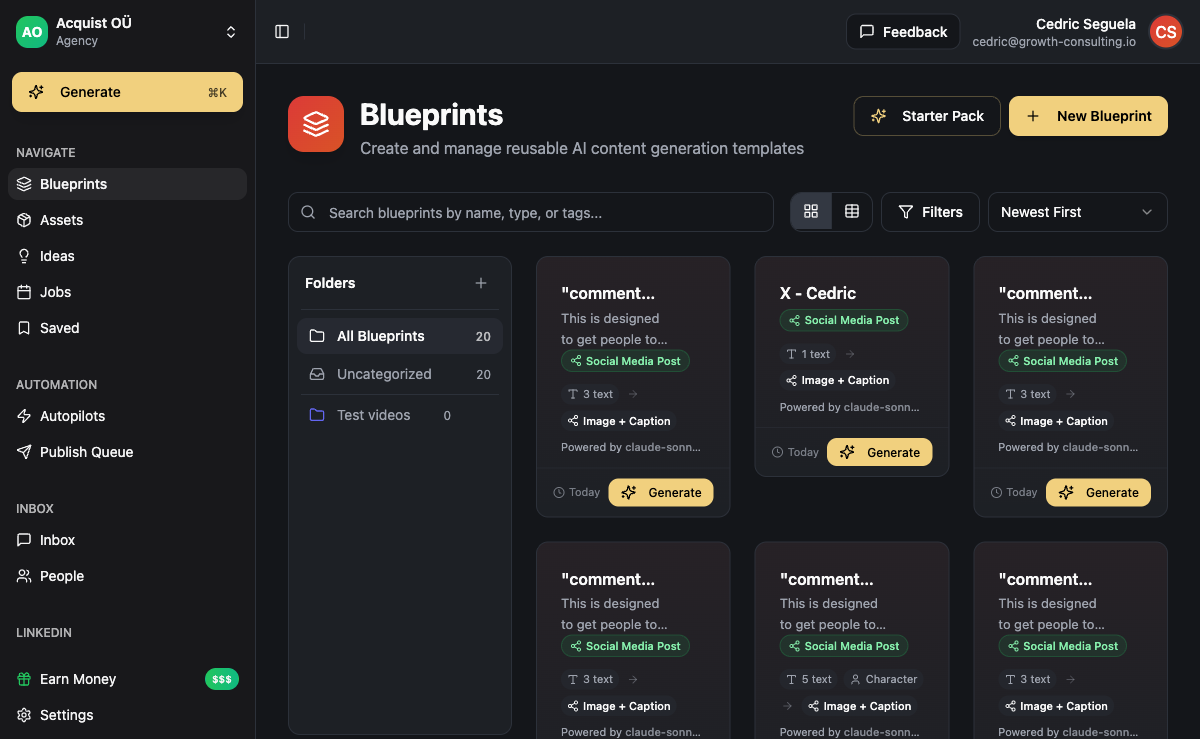
A blueprint is the template that every piece of content in a series runs through. Think of it as the difference between a recipe and a meal. The recipe stays the same. The ingredients change. Your blueprint defines: the format (LinkedIn post, carousel, newsletter, short-form video), the brand voice, the hook structure, the call-to-action pattern, the visual style for images, and which inputs are required to run it.
A weak blueprint looks like this: "Write a LinkedIn post about [topic]."
A strong blueprint looks like this:
- Format: LinkedIn text post, 900-1200 characters, single line breaks between thoughts, no emojis except one in the hook
- Brand voice: direct, founder-built, no jargon, opinion-first, second-person address
- Hook formula: one-sentence contrarian claim or specific number
- Structure: hook, context (2-3 lines), example or proof (3-5 lines), takeaway (1 line), CTA question
- Required inputs: topic, target reader role, one specific example or stat
- Forbidden phrases: "in conclusion", "game-changer", "revolutionary"
That second version produces consistent output across hundreds of runs because the model has no room to drift. The same logic applies to image blueprints (style, color palette, composition rules) and video blueprints (script structure, pacing, B-roll cues, voice character).
Build your blueprints once. Refine them after the first 10-20 runs. After that, leave them alone.
Stage 2: Dispatch
Dispatch is the layer that takes a request (or a scheduled trigger) and turns it into a job that the execution layer can run. It is the part of the workflow most people skip, and it is the reason most homemade pipelines fall apart at scale.
A proper dispatch layer does four things:
- Validates inputs: rejects jobs missing required fields before they hit the AI calls (saves token cost)
- Routes to the right blueprint: a "newsletter" trigger goes to the newsletter blueprint, not the LinkedIn one
- Assigns priority: a manually requested post jumps the queue ahead of the scheduled batch
- Logs the job: every job has a unique ID you can trace from dispatch to publish
If you build this in n8n or Make, the dispatch node is usually a webhook plus a switch. If you use a platform like ACA, dispatch is handled by the Autopilots system, which schedules and routes jobs to the correct content blueprint based on the calendar you set.
Stage 3: Execution (Text, Image, Voice, Video)
This is where the AI calls actually happen. The order matters. You generate text first, then use that text as input for everything downstream.
Text generation
The text stage produces the script, post copy, captions, or article body. Use a frontier model (GPT-4-class or Claude-class) for content that requires reasoning. Use a cheaper model for high-volume, low-stakes text like alt-text or hashtag suggestions. Always pass the blueprint as a system prompt, not as part of the user message. This protects the brand voice from being overridden by edge-case inputs.
Image generation
Image generation runs after text because the visual concept usually derives from the headline or hook. Pass the headline and the image-style guidelines from the blueprint to your image model. Run two or three variants and pick the best automatically (using an aesthetic-scoring model) or surface them in completion for review.
Voice / TTS
For video and audio content, generate the voice-over from the finalized script using a text-to-speech model. ElevenLabs and similar tools handle this well. Cache the voice ID per brand so the voice stays consistent across runs.
Video assembly
Video runs last because it consumes the script, voice-over, and any generated images or B-roll. This stage is the most likely to time out, so build retries with exponential backoff. A well-built video pipeline can produce a 30-60 second short in 2-4 minutes of wall-clock time.
Execution stage rule of thumb: text generation takes 5-20 seconds, image generation takes 10-30 seconds per variant, TTS takes 10-30 seconds, video assembly takes 60-180 seconds. A full text-plus-image-plus-video pipeline runs in 3-5 minutes if your stages run sequentially, or 1-2 minutes if image and TTS run in parallel after text completes. Source: typical timings observed across ACA content pipelines.
Stage 4: Completion and Validation
Completion is the stage that catches the bad output before it goes live. Most homemade pipelines skip this step and end up publishing hallucinated stats, off-brand images, or broken video files. Do not skip it.
What completion does:
- Validates the output structure: word count within range, no forbidden phrases, no broken links, correct format
- Stores assets: writes the text, images, audio, and video to your asset store with the job ID
- Routes to review or auto-publish: based on confidence score or workflow policy
- Notifies humans only when needed: a Slack ping for low-confidence outputs, silent pass-through for clean ones
Build a validation rule for every blueprint. Example: a LinkedIn post blueprint requires 900-1200 characters, exactly one hook line, no "in conclusion". If the output fails, the workflow either regenerates automatically (up to 2 retries) or sends to manual review.
Auto-publish when: the blueprint has run 50+ times cleanly, validation rules cover the failure modes you have seen, the channel is low-stakes (social posts), and brand voice is locked in.
Route to review when: the blueprint is new, the channel is high-stakes (newsletter to paying customers, sales emails), validation confidence is below threshold, or the output contains numbers or claims you have not pre-verified.
Stage 5: Publish Queue
The publish queue is the final stage. It takes approved assets and pushes them to the right channel at the right time. This is not just "hit the API and hope". A real publish queue handles:
- Channel routing: LinkedIn post goes to LinkedIn, newsletter goes to your ESP, short-form video goes to TikTok/Reels/Shorts
- Account selection: the right brand or client account, with the right credentials
- Schedule slots: respects posting time rules (peak audience windows, frequency caps)
- Retry logic: if the channel API fails, retry with backoff, then escalate to a human
- Confirmation tracking: stores the post URL or ID so you can attribute performance later
For agencies running this across multiple clients, the publish queue is also where workspace isolation matters. One client's content cannot accidentally post to another client's account. Get this wrong once and you lose the client.
How ACA Implements the Full Pipeline
ACA's content system maps to these five stages directly. Blueprints are reusable templates you define once per brand or client. Autopilots handle dispatch by triggering blueprints on a schedule you set. Execution runs the AI calls (text, image, TTS, video) through your own connected API keys under the BYOK model. Completion validates output and stores assets in your workspace. The publish queue handles scheduling and posting to LinkedIn, Instagram, newsletters, and other channels.
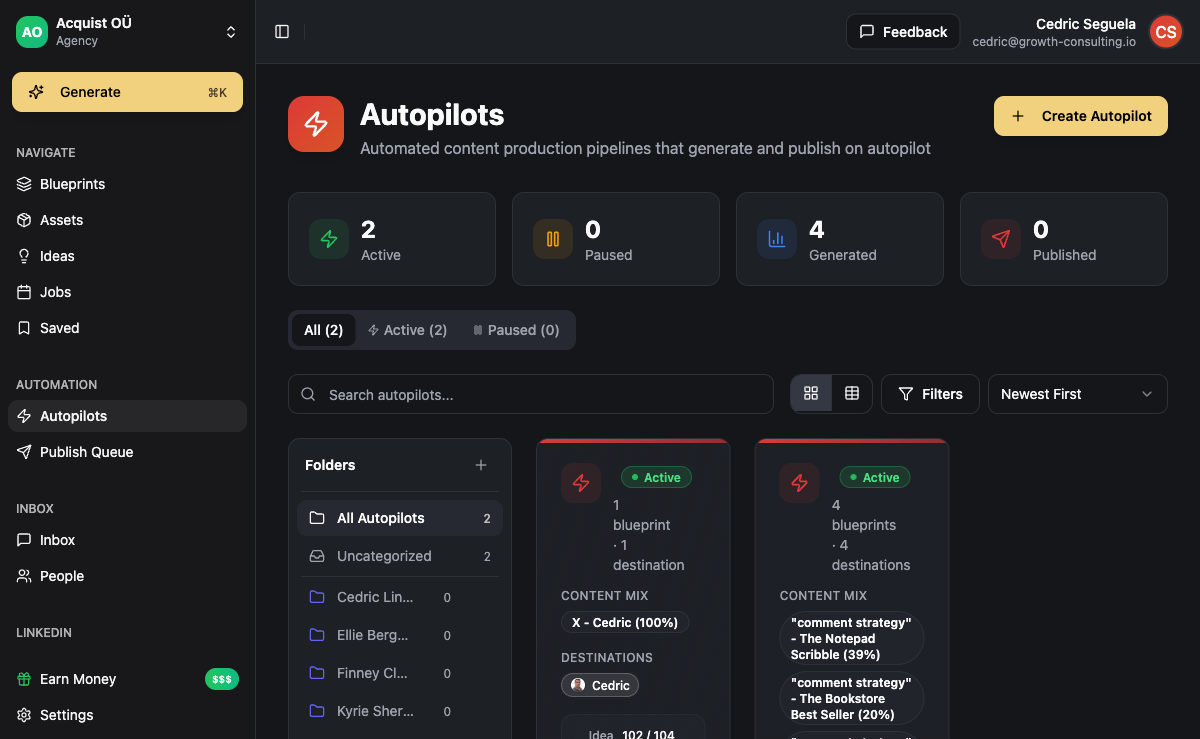
The advantage of running this on one platform rather than stitching it together in n8n is that the five stages share state. The CRM knows what content a lead saw. The campaign builder can trigger content generation as a sequence step. The unified inbox surfaces replies to content posts alongside outbound replies. When the pipeline is one system instead of seven, you stop losing jobs at the seams.
Common Workflow Mistakes
Three failure patterns show up in almost every homemade content workflow:
- One giant prompt instead of staged execution. People try to make one prompt produce the post, the image description, and the video script. The output is mediocre across all three. Split the stages. Each call has one job.
- No validation layer. The model hallucinates a stat. It gets published. You lose credibility. Build validation rules per blueprint and run them automatically.
- No retry logic in the publish queue. LinkedIn's API fails 2-5% of the time. If you do not retry, you silently miss posts. Build retries with backoff and a final escalation path.
Frequently Asked Questions
How long does it take to set up an AI content workflow?
For a single blueprint (one content type, one brand), expect 4-8 hours of setup if you are building on a platform like ACA. That includes defining the blueprint, configuring the schedule, connecting your channels, and running 5-10 test outputs to refine the prompts. Building the same pipeline from scratch in n8n or Make with separate tools for text, image, voice, and publishing usually runs 30-60 hours and breaks more often.
Do I need to know how to code to run this?
No, if you use a platform built for it. ACA, Make, and Zapier all let you build content workflows without code. You will need code if you are doing custom model routing, custom validation rules with complex logic, or integrating with internal APIs. For 90% of content pipelines, the no-code approach is sufficient.
What is the difference between a blueprint and a prompt?
A prompt is the instruction you send to a model in a single call. A blueprint is the full recipe that defines the format, brand voice, validation rules, required inputs, and the prompts used at each execution stage. A blueprint contains multiple prompts (one for text, one for image, one for voice-over) plus the rules around them. Prompts produce one output. Blueprints produce a finished, validated, publishable asset.
Can I run multiple workflows in parallel?
Yes, and you should. A typical agency runs 3-10 content blueprints per client (LinkedIn posts, carousels, newsletter, short-form video, articles) all triggered on their own schedules. The dispatch layer handles concurrency. The execution stages run in parallel where possible. The publish queue serializes posts to respect channel rate limits and posting frequency rules.
How do I keep brand voice consistent across hundreds of pieces?
Lock the brand voice into the blueprint as a system prompt, not a user prompt. Include 3-5 example outputs in the blueprint so the model has reference patterns. Add forbidden phrases to your validation layer. Review the first 20-30 outputs manually and adjust the blueprint, then leave it alone. Brand voice drift is almost always a sign that someone is editing the blueprint without testing the change against the existing output library.
What happens when an AI call fails mid-pipeline?
A well-built workflow retries the failed stage with exponential backoff (wait 5 seconds, then 15, then 45). If it still fails after 3 attempts, the job moves to a dead-letter queue and notifies a human. The rest of the pipeline does not crash. Other jobs keep running. This is the part that separates a production workflow from a script. If your current setup crashes the whole batch when one image generation fails, you do not have a workflow, you have a fragile chain.