
Cold email deliverability in 2026 is the difference between a campaign that books meetings and one that feeds the spam folder. The technical setup has become non-negotiable. Gmail and Outlook tightened authentication requirements in 2024, and the bar has only gone higher since. This guide covers everything you need to land in the primary inbox consistently.
What Is Cold Email Deliverability?
Cold email deliverability is the measure of how reliably your outbound emails reach the recipient's primary inbox rather than being filtered into spam, promotions, or blocked entirely. It is determined by a combination of technical authentication, sender reputation, domain age, sending behavior, and email content.
Most people think deliverability is about avoiding "spam words" in the subject line. That was true in 2015. Today, email providers use machine learning to evaluate the full sending context: your domain's history, whether recipients engage with your emails, whether other senders on your IP have poor reputations, and dozens of other signals.
Deliverability breaks into three layers:
- Authentication - SPF, DKIM, DMARC records that prove you own the domain you send from
- Reputation - your domain and IP's track record with mailbox providers over time
- Engagement - whether recipients open, reply, and don't mark you as spam
Fix all three and you land in the inbox. Neglect any one and you don't.
The Technical Foundation: SPF, DKIM, and DMARC
Since February 2024, Google and Yahoo have required SPF, DKIM, and DMARC for bulk senders. If you're sending cold email without all three configured correctly, you're sending blind. Here's what each one does and how to set it up.
SPF Setup
SPF (Sender Policy Framework) tells receiving mail servers which IP addresses are authorized to send email from your domain. Without it, any server can claim to send on behalf of your domain, which is a red flag to modern filters.
Your SPF record is a TXT record on your domain. A basic SPF record for Google Workspace looks like this:
v=spf1 include:_spf.google.com ~allIf you use a third-party sending service like SendGrid or Mailgun, add their include directive. Keep your SPF record to 10 DNS lookups or fewer - exceeding this limit causes SPF to fail silently, which is a common mistake.
DKIM Setup
DKIM (DomainKeys Identified Mail) adds a cryptographic signature to your outgoing emails. Receiving servers verify the signature against your public key in DNS to confirm the message hasn't been tampered with and actually came from your domain.
Your email provider generates the DKIM key pair. You publish the public key as a TXT record in your DNS. The setup process is usually a few clicks in your email provider's admin panel followed by adding the provided DNS record. Verify it's working with a tool like mail-tester.com or Google's Admin Toolbox.
Use a 2048-bit key minimum. Some older setups use 1024-bit, which providers increasingly treat as insufficient.
DMARC Setup
DMARC (Domain-based Message Authentication, Reporting and Conformance) tells receiving servers what to do when an email fails SPF or DKIM checks. It also sends you reports so you can see how your domain is being used.
A basic starting DMARC record:
v=DMARC1; p=none; rua=mailto:dmarc-reports@yourdomain.comStart with p=none (monitor only) to review reports before you risk blocking legitimate mail. After 2-4 weeks of clean reports, move to p=quarantine, then p=reject. This gradual escalation is the correct approach - going straight to p=reject on a new domain can break things you didn't know were sending.
| Authentication Record | What It Proves | Setup Location | Impact if Missing |
|---|---|---|---|
| SPF | Authorized sending IPs | DNS TXT record | Soft fail or spam filter |
| DKIM | Message authenticity | DNS TXT record (via email provider) | Spam filter, promotions tab |
| DMARC | Policy enforcement | DNS TXT record | Blocked by major providers (2024+) |
| Custom tracking domain | Branded link/open tracking | Subdomain CNAME | Shared tracking domain flags |
Email Warm-Up: Why It Matters and How to Do It
Email warm-up is the process of gradually increasing your sending volume from a new inbox over several weeks so that mailbox providers build a positive reputation for your domain before you start high-volume outreach. Skipping this step and sending 200 emails on day one will get your domain flagged or blacklisted.
Here is how reputation works: when you start sending from a new domain, mailbox providers have no data on you. A sudden spike in outbound volume with cold contacts looks exactly like a compromised account or a spam operation. Warm-up simulates the gradual growth of a legitimate business email account.
Warm-up schedule by week:
| Week | Daily Volume | What to Send | Expected Open Rate |
|---|---|---|---|
| Week 1 | 5-10 emails/day | Warm-up service (automated) | 90%+ (simulated) |
| Week 2 | 20-30 emails/day | Warm-up service + first real contacts | 60-70% |
| Week 3 | 40-50 emails/day | Real outreach at low volume | 40-50% |
| Week 4+ | 50-80 emails/day | Full cold outreach cadence | 30-40% real open rate |
Run warm-up continuously in the background even after you start real outreach. Many agencies keep a warm-up service running 24/7 on every mailbox they operate. The ongoing simulated engagement acts as a baseline signal that keeps reputation healthy between campaigns.
Warm-up services work by connecting to a pool of real mailboxes that send each other emails, open them, and move them out of spam. Look for services with a pool of at least 10,000 real mailboxes - smaller pools look artificial to modern filters.
Domain and Inbox Strategy for Scale
Your primary domain (the one your website is on) should never send cold email. Ever. If that domain gets blacklisted, your business email and website credibility go with it. Use secondary domains for all cold outreach.
Secondary domain naming strategy: Register domains that are believable variants of your brand. If your company is Acme Agency, use domains like acme-team.com, acmegroup.co, or getacme.io. Avoid random or clearly manufactured names. Prospects who Google the domain should find something that looks legitimate.
Inbox-to-domain ratio: Use 2-3 mailboxes per domain, maximum. Stacking 10 inboxes on one domain amplifies your reputation risk - if one mailbox generates spam complaints, all mailboxes on the domain suffer. Spreading across multiple domains limits blast radius.
A practical setup for sending 300 emails per day:
- 4 secondary domains
- 2 inboxes per domain (8 total)
- 40-50 emails per inbox per day
- All warmed for 4+ weeks before use
This setup sends 320-400 emails per day with low risk and easy rotation if one domain has issues.
Sending Behavior That Protects Your Deliverability
Even with perfect authentication and warm domains, bad sending behavior will tank your deliverability. Here is what to avoid and what to do instead.
Volume spikes: Never increase sending volume by more than 20-30% in a single day. Sudden spikes look like a compromised account. Gradual, consistent growth looks like a healthy business.
Sending schedule: Send during business hours in the recipient's timezone where possible. Emails sent at 3 AM local time generate lower engagement, and lower engagement signals to providers that recipients don't want your mail.
Content patterns to avoid:
- Heavy HTML with multiple images and complex formatting - plain text or light HTML performs better for deliverability
- Tracking pixels from shared domains - use a custom tracking subdomain
- Multiple links in a single email - one link maximum in cold outreach
- All-caps words, excessive exclamation points, promotional language in subject lines
- Large attachments - never attach files to cold emails
List hygiene: Validate your lead list before sending. Email addresses that bounce hard damage your sender score. Use an email verification service to clean your list before import - expect to remove 10-20% of any list as invalid. Never buy email lists from unknown sources; they contain spam traps that instantly flag your domain.
Unsubscribe handling: Honor every unsubscribe request within 24 hours. Under CAN-SPAM and GDPR, this is a legal requirement - but it also protects deliverability. A recipient who marks you as spam instead of clicking unsubscribe costs you far more than a lost prospect. Make it easy to opt out.
Monitoring and Measuring Inbox Placement
Open rates are an unreliable proxy for deliverability since Apple's Mail Privacy Protection and similar features inflate them artificially. Use direct inbox placement testing instead.
Tools for monitoring deliverability:
- GlockApps or MailReach - send test emails to seed accounts at major providers (Gmail, Outlook, Yahoo) and see exactly where they land: inbox, spam, or promotions tab
- MXToolbox - check if your sending domain or IP is on any blacklists
- Google Postmaster Tools - if you have enough volume to Gmail addresses, Google shows you domain reputation and spam complaint rates directly
- Mail-tester.com - quick spot check of your email's spam score before launching a new campaign
Warning signals to watch:
- Spam complaint rate above 0.1% - Google flags this in Postmaster Tools; above 0.3% triggers active filtering
- Hard bounce rate above 2% - indicates a dirty list or blacklisting
- Reply rate dropping week-over-week with no copy changes - often a deliverability issue, not a messaging issue
- Sudden drop in open rates - check if you've hit the promotions tab or spam
Run an inbox placement test before every new campaign and after any significant change to your sending setup. In our experience, catching a deliverability problem early - before it compounds into a blacklisting - saves weeks of domain recovery time.
How ACA Handles Deliverability in Multi-Channel Campaigns
Multi-channel outreach (LinkedIn + email + WhatsApp) changes the deliverability picture in a useful way: you're not dependent on email alone. When a prospect doesn't respond to a LinkedIn message, the sequence moves to email. When email isn't working for a segment, you have WhatsApp as a fallback.
This channel diversity means you can run lower email volume per prospect - fewer follow-up emails per contact, better engagement rates, lower spam risk. Single-channel email campaigns burn through sequences with 5-7 follow-ups because there's no alternative. Multi-channel campaigns get responses earlier and don't need to hammer the same inbox.
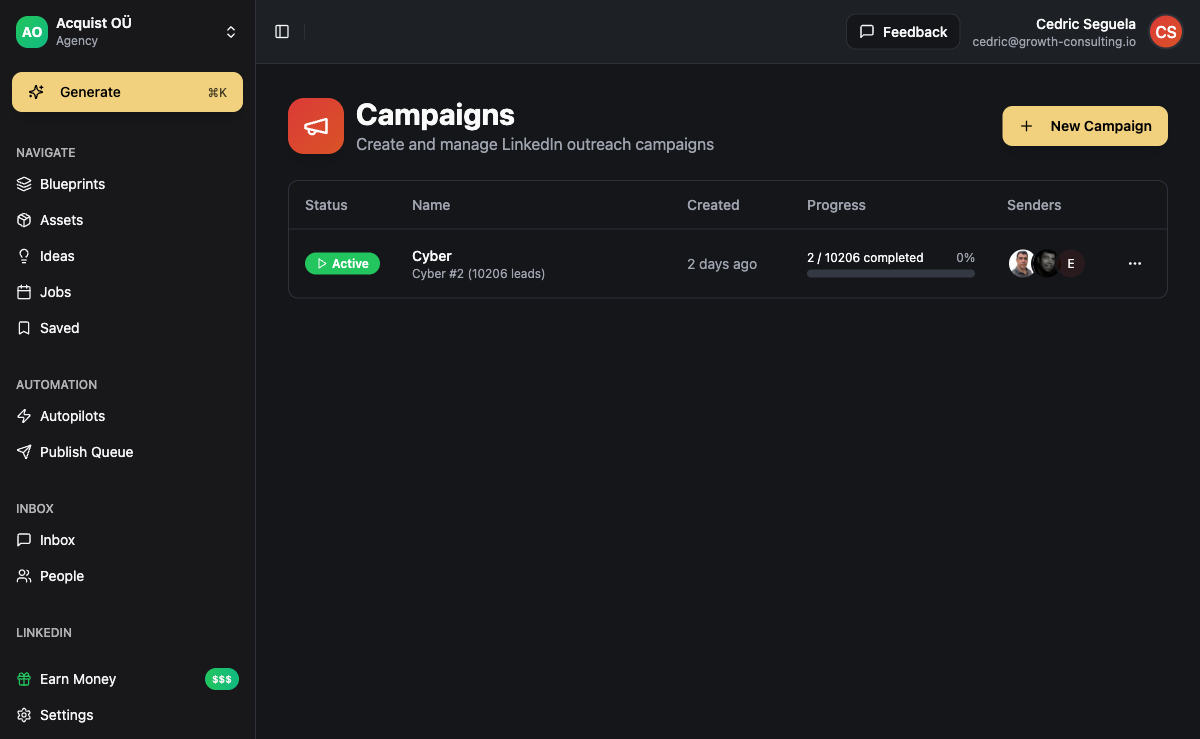
In ACA's campaign builder, you set up sending accounts per channel. Each email account is tracked separately for performance. If one inbox shows signs of deliverability issues, you rotate it out and swap in a fresh warmed inbox without pausing the whole campaign. This operational flexibility is what lets agencies maintain consistent outreach volume even when individual inboxes need rest.
ACA integrates with the Unipile API for multi-channel execution, meaning LinkedIn, email, WhatsApp, Instagram, and Telegram all run through a single unified sequence - coordinated timing, no double-messaging, with replies captured in a single inbox regardless of channel.
For agencies running outreach for multiple clients, the workspace isolation means each client's sending accounts, sequences, and reputation are completely separate. One client's deliverability issue cannot contaminate another client's campaigns.
Frequently Asked Questions
How long does email warm-up take before I can start cold outreach?
Minimum 3-4 weeks for a brand new domain and inbox. 6 weeks is safer. The first two weeks are slow-volume warm-up via a warm-up service. Weeks 3-4, you start real outreach at low volume (20-30 emails per day) while continuing the warm-up in parallel. After week 4-6, you can increase to 50-80 emails per day per inbox. Never skip warm-up - the short-term temptation to start sending immediately leads to blacklisted domains that take months to recover.
How many email addresses do I need for cold outreach at scale?
It depends on your daily target volume. A safe rule: one warmed inbox can handle 40-50 cold emails per day reliably. If you want to send 500 emails per day, you need 10-12 warmed inboxes across 4-6 secondary domains. Budget for the infrastructure cost: each Google Workspace inbox costs around $6-7 per month, plus domain registration at $10-15 per year per domain. Ten inboxes runs about $70/month in inbox costs alone.
What is the difference between landing in promotions vs spam?
Promotions tab (Gmail only) is a filtering decision, not a reputation penalty. Your email was authenticated and accepted; Gmail just categorized it as promotional. Spam is a reputation penalty - your emails are being rejected or filtered based on sender signals. Getting out of promotions is mostly a content and sending pattern issue. Getting out of spam requires fixing your authentication, cleaning your list, and rebuilding sender reputation over weeks. Always prioritize avoiding spam first; promotions is a secondary optimization.
Does the content of my cold email affect deliverability?
Yes, but less than most people think. Modern spam filters weight sender reputation and authentication far more heavily than content keywords. That said, certain content patterns are still red flags: heavy HTML formatting, multiple images, shared tracking domains, multiple links, and promotional language ("FREE", "ACT NOW", "LIMITED TIME"). Plain text or light HTML emails with a single call-to-action and a custom tracking subdomain consistently outperform heavily formatted emails in inbox placement tests.
What should I do if my domain gets blacklisted?
First, stop all outreach from that domain immediately - continuing to send from a blacklisted domain makes recovery harder. Second, identify which blacklist(s) you're on using MXToolbox. Third, remove the spam-causing issue (usually a dirty list or too-high sending volume). Fourth, submit a removal request to each blacklist - most have an online form and review requests within 24-72 hours. Fifth, warm up a new secondary domain while the primary recovers. Most reputable blacklists will delist within a week for first-time offenses if you can demonstrate the issue is resolved. Repeat offenses are harder to recover from.
Can I run cold email alongside LinkedIn outreach without hurting either channel?
Yes - and you should. Multi-channel sequences that coordinate email and LinkedIn outreach outperform single-channel campaigns by a significant margin. The key is coordination: don't send a LinkedIn connection request and a cold email the same day to the same prospect. Stagger the touches so each channel reinforces the other. Platforms like ACA handle this coordination automatically - the sequence logic determines which channel fires next based on the prospect's engagement history across all channels.