LinkedIn connection request automation lets you send 100 or more personalized connection requests per week without triggering account restrictions - if you stay within the right volume limits, use cloud-based tooling, and write notes that generate genuine acceptances. This guide covers safe weekly volumes by account age, with-note versus without-note frameworks, the accept rate metric that matters more than volume, and a step-by-step setup in ACA.
Short answer: You can safely automate LinkedIn connection requests at 100 per week for established accounts. The three requirements are: cloud-based automation with dedicated IP addresses (not browser extensions), connection notes that generate accept rates above 25%, and gradual warm-up for accounts under 90 days old. Volume abuse and robotic timing patterns are what trigger restrictions - not automation itself.
The Weekly Volume Reality: What LinkedIn Actually Enforces
LinkedIn caps most accounts at around 100 connection requests per week. When you hit the ceiling, LinkedIn shows a prompt to verify your identity via phone or triggers a cooldown period before invitations resume. The limit is enforced at the platform level regardless of whether you send manually or via automation.
What the 100/week figure does not capture is LinkedIn's secondary enforcement layer: a behavioral detection system that monitors timing patterns, acceptance rates, and message volume independently of the hard cap. An account can stay well under 100/week and still receive a restriction if the acceptance rate drops below roughly 20% or if the sending cadence looks machine-generated rather than human.
Safe volumes by account age and status:
| Account Status | Safe Daily Limit | Safe Weekly Limit | Notes |
|---|---|---|---|
| New account (under 30 days) | 5-8 | 30-40 | Identity not yet established - LinkedIn flags unusual volume spikes on new profiles |
| Warming account (30-90 days) | 10-15 | 60-80 | Increase gradually week-by-week; watch acceptance rate closely |
| Established account (90+ days, consistent activity) | 15-20 | 90-100 | Standard ceiling for most accounts; accounts with high SSI scores may tolerate slightly more |
| Sales Navigator account with strong history | 20-25 | up to 120 | Sales Navigator users often have elevated limits; still watch accept rate |
Start below these limits for any account that has been idle, recently reactivated, or has received a prior restriction notice. The safest warm-up schedule is a 10% volume increase per week until you reach the target ceiling.
For a full breakdown of daily action limits, warmup schedules, and recovery from restrictions, see the safe LinkedIn automation account limits guide.
With-Note or Without-Note: The Honest Breakdown
LinkedIn allows a note of up to 300 characters with each connection request. Whether to include one is a genuine tactical debate, and the right answer depends on your targeting quality and ICP clarity.
Use a personalized note when: you have specific prospect data that lets you reference something real (a post they wrote, a mutual connection, a role change, shared group membership, or a company milestone). A relevant note creates genuine friction reduction - the prospect understands immediately why the request is relevant to them. Agencies using ACA's AI personalization layer generate these notes automatically from prospect profile data.
Send without a note when: your targeting is precise enough that profile-fit alone does the work (e.g., targeting exact-match titles in a specific industry with high ICP overlap), your note templates are weak or generic (a generic note is worse than no note - it signals mass outreach), or you are warming a new account where lower friction is more important than persuasion.
In practice, most outreach at volume lands somewhere in between. The optimal setup is AI-generated personalized notes for the top-tier prospects in each batch, and no-note requests for volume fills where targeting quality is high enough that fit is obvious. ACA's campaign builder supports this with conditional note logic - you can define rules that determine when a note is generated versus when the request fires without one.
Connection Note Copy That Gets Accepted
The connection note has one job: reduce friction. It is not a pitch. A note that pitches a product or service in the connection request is the fastest path to low acceptance rates and account flags. The note should make it obvious why this particular person would want to connect with this particular sender.
Five note frameworks that work in outreach campaigns:
- Post reference: "Saw your post on [topic] - we're working on something adjacent. Would love to connect." Requires access to the prospect's recent post data, which ACA pulls from LinkedIn profiles during lead enrichment. This is the highest-performing note type for B2B outreach because it demonstrates genuine attention.
- Role-change acknowledgment: "Noticed you recently moved to [role] at [company] - congrats. Would love to connect and trade notes on [relevant challenge]." Fires automatically when a prospect's job-change trigger appears in the data.
- Mutual connection: "We're both connected to [name] / in the [group] - seemed worth reaching out directly." Works best in tightly networked industries (finance, law, SaaS) where mutual connections carry weight.
- ICP-specific angle: "Running outreach for [industry] founders at [company] - your work at [company] caught my attention. Worth a connect?" The more specific the ICP, the higher the acceptance rate even with a light note.
- Curiosity hook (no-context): "Building something relevant for [role type] in [industry] - would love to connect." Works for high-volume campaigns where personalization is not feasible, as long as the targeting is tight enough that fit is self-evident.
Every note must stay under 300 characters and must not include a link. LinkedIn suppresses notes with links. Keep the tone conversational and write in first person without formality. The goal is to sound like a human with a specific reason to connect - not a template with fields filled in.
The Accept Rate Metric That Matters More Than Volume
Connection request accept rate benchmark: A healthy outreach campaign targets an accept rate above 25%. Below 20% signals a targeting problem, a note quality problem, or volume abuse. Above 40% usually indicates either a warm network (high mutual connections, prior engagement) or a very tight ICP with extremely relevant outreach. For cold outreach to genuinely cold prospects with no prior relationship, accept rates in the 25-35% range are achievable with precise targeting and personalized notes. Source: ACA campaign data across agency and B2B SaaS clients.
Accept rate matters more than volume because LinkedIn uses it as a behavioral quality signal. An account sending 80 requests per week with a 30% accept rate looks like an active networker. An account sending 50 requests per week with a 15% accept rate looks like a spammer. The system cares about the ratio, not just the count.
When accept rate drops below your target threshold, the right response is to reduce volume immediately (down to 5-10/day) and fix the underlying issue before scaling back up:
- Targeting too broad: Tighten the ICP filter. Every degree of targeting precision improves accept rate.
- Note copy is generic: Replace template notes with AI-personalized notes that reference specific prospect data.
- Wrong network tier: 2nd-degree connections accept at higher rates than 3rd-degree for most ICPs. Prioritize 2nd-degree when possible.
- Profile is weak: LinkedIn prospects judge the sender's profile before accepting. A sparse profile, a low follower count, or an unclear headline reduces acceptance even with a good note.
What Actually Triggers LinkedIn Restrictions
Understanding LinkedIn's enforcement is counterintuitive. The most common assumption is that automation itself is the trigger. It is not. LinkedIn does not detect and block all automation - it detects and blocks behaviors that look bot-like or spammy, regardless of whether a human or software generated them.
LinkedIn restriction triggers fall into four categories: (1) Volume abuse - sending above platform limits or spiking volume rapidly without warm-up; (2) Robotic timing - consistent send intervals (every 5 minutes, exactly on the hour) rather than human-paced variation; (3) Low engagement signals - high request volume combined with low acceptance rates, high ignore rates, or spam reports from recipients; (4) Browser-level automation detection - Chrome extension tools that operate inside the browser session and generate click patterns that LinkedIn's front-end can detect. Cloud-based tools that operate via API integrations without browser activity avoid the fourth category entirely.
The tool architecture matters enormously. Browser extension tools (which run inside your Chrome or Firefox session) are detectable because they generate automated DOM interactions that differ from genuine user behavior. Cloud-based tools that operate via official API paths - like ACA via Unipile - do not interact with the LinkedIn front-end at all, removing the most detectable layer of automation from the picture.
For a deeper comparison of Chrome extension versus cloud-based LinkedIn tools, see the complete LinkedIn automation guide.
Setting Up Connection Request Campaigns in ACA
ACA runs LinkedIn connection request automation via Unipile's API integration. This establishes a cloud-based session for each LinkedIn account with a dedicated IP address - the same safety architecture as HeyReach or Expandi, combined with ACA's full multi-channel engine and AI personalization layer.
Setup steps for a connection request campaign:
- Connect your LinkedIn account: Go to Accounts in ACA and add your LinkedIn account via the Unipile integration. This creates a dedicated session. The account's activity history is preserved - connecting an account in ACA does not trigger a warning or restriction.
- Build or import your lead list: Use the Leads dashboard to import prospects from a CSV, a Sales Navigator search URL (via Apify), or an existing CRM segment. Each lead needs a LinkedIn profile URL for the connection step to resolve correctly.
- Create the campaign sequence: Open the Campaign Builder and add the connection request node as the first action. Configure the note field - either a static template or AI-generated personalization linked to your ICP and brand voice. Add a delay node (2-3 days) before any follow-up message node to let accepts accumulate before the next step fires.
- Set daily limits: Configure the connection request node's daily cap. For established accounts starting a new campaign, begin at 10-15/day. The campaign processor respects this limit across all active campaigns on that account - so if you have two campaigns running simultaneously, the combined daily volume stays within the cap you set.
- Configure AI note personalization (optional): If you have OpenAI or Anthropic API keys configured (BYOK - ACA does not mark up model costs), enable note generation in the connection request node. Specify which lead data fields feed the prompt: LinkedIn post content, job title, company name, industry. ACA generates a unique note for each prospect before the send fires.
- Activate and monitor: Once live, replies and acceptances appear in the unified LinkedIn inbox. The campaign processor pauses subsequent steps for any lead who accepts and replies - you handle the reply in the inbox and the sequence resumes on any configured post-reply flow.
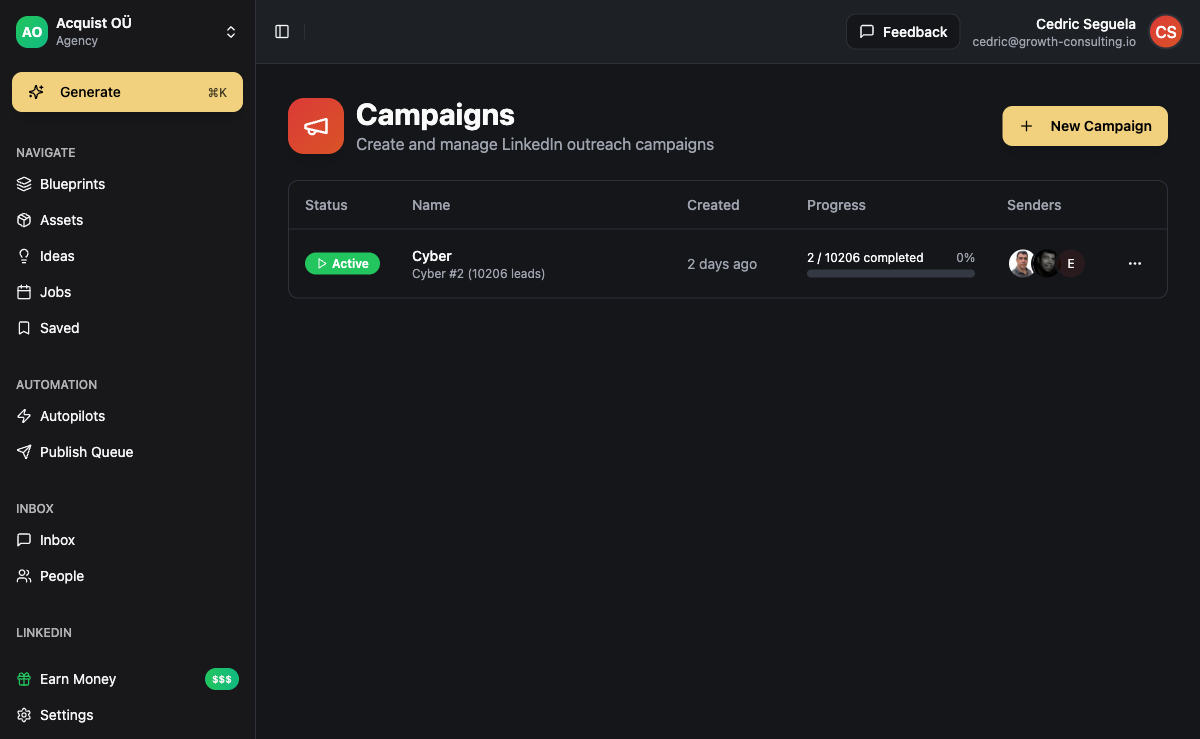
For multi-account campaigns (agencies running outreach for clients), each client LinkedIn account connects separately to ACA's white-label workspace. Limit settings are per account, not per workspace - so you can run conservative limits for a new client account while running higher volume on an established sender account simultaneously. Multi-step LinkedIn outreach sequences built on top of the connection step handle the full pipeline from connection to booked meeting.
When LinkedIn outreach alone is not converting at the rate you need, the next step is adding email or InMail as parallel channels in the same sequence. ACA's Unipile integration supports both. For Sales Navigator users, the LinkedIn InMail guide covers how to layer InMail into campaigns for prospects who have not responded to connection requests. For targeting strategy and lead list construction, see the Sales Navigator automation guide. For cross-channel sequencing that adds email and WhatsApp after LinkedIn, see outbound sales automation with multi-channel sequences or the AI-powered B2B lead generation playbook.
Your LinkedIn outreach should not feel like cold outreach to a prospect who accepted your request. Connection request + 72-hour delay + contextual first message feels like a conversation. Same-day pitch after accepting feels like a bait-and-switch.
Frequently Asked Questions
How many LinkedIn connection requests can I send per week without getting restricted?
Most established LinkedIn accounts can send up to 100 connection requests per week without triggering the platform's hard cap. The practical safe ceiling is lower - 80-90 per week - because staying below the hard limit gives headroom for days where you send more and reduces the chance of a restriction even if your acceptance rate dips temporarily. New accounts should start at 30-40 per week and build up over 6-8 weeks. The weekly limit is not the only enforcement mechanism: acceptance rate and timing patterns matter as much as raw volume.
Is it better to send LinkedIn connection requests with or without a note?
It depends on the quality of your note. A personalized note that references something specific about the prospect - a recent post, a role change, a shared connection, or a shared industry challenge - increases accept rates by making the reason for connecting obvious. A generic template note ("Hi [name], I'd love to connect and learn more about your work") performs no better than a blank request and sometimes worse, because it signals mass outreach without demonstrating genuine interest. If you do not have specific data to make a note relevant, send without one and let the quality of your profile and the tightness of your targeting do the work.
What is the maximum characters allowed in a LinkedIn connection note?
LinkedIn connection notes are capped at 300 characters. Keep notes shorter than the limit - notes that feel "filled to the brim" read as templates even if the content is personalized. Aim for 80-150 characters: enough to state a specific reason for connecting, short enough to feel off-the-cuff. Do not include links in connection notes - LinkedIn suppresses notes with URLs and they may not render for the recipient at all.
How do I recover a LinkedIn account that has been restricted from sending connection requests?
When LinkedIn restricts connection request sending, complete the identity verification (usually a phone number confirmation) if prompted. After verification, pause all automated connection requests for 7-14 days and send only manual requests during that period at 3-5 per day. Before resuming automation, audit your targeting for ICP tightness, your note copy for generic patterns, and your daily limits - the restriction is a signal that one or more of these needs fixing. Restart at 5-8/day and build back up over 4-6 weeks. Accounts that receive a second restriction within 90 days of the first typically face longer cooldowns or permanent invitation limits.
Do I need a paid LinkedIn account to automate connection requests?
No. Connection request automation works with a free LinkedIn account and a Premium account. Sales Navigator is not required for the connection request step itself - it becomes relevant when you want to use LinkedIn's advanced search filters for targeting, run InMail campaigns, or access saved lead lists and account tracking features. Many agencies run effective automated connection request campaigns using free or Premium LinkedIn accounts combined with Apify-based lead imports (which provide targeting precision comparable to Sales Navigator search at a lower cost per lead).
Can I run LinkedIn connection request automation for multiple client accounts from one platform?
Yes. In ACA, each client LinkedIn account connects via a separate Unipile session with its own dedicated IP address. Campaigns are scoped per account, daily limits are set per account, and inbox replies are segmented by account inside ACA's white-label workspace. Agency operators typically run 5-20 client LinkedIn accounts simultaneously from a single ACA workspace. The key safety rule: never route multiple clients through a single LinkedIn account. Each client must have their own LinkedIn profile connected to the platform.