
LinkedIn outreach automation is how agencies and sales teams generate consistent pipeline without spending 4 hours a day on manual prospecting. But get it wrong and LinkedIn suspends your account. Here is what actually works in 2026 - the volume limits, the sequence structures, the personalization techniques, and the tools that keep you safe.
What Is LinkedIn Outreach Automation?
LinkedIn outreach automation is the practice of using software to send connection requests, follow-up messages, and InMail at scale - with AI-generated personalization applied to each prospect based on their profile, recent posts, and company data. The goal is to maintain the quality and relevance of human-written outreach while handling volumes that no human could manage manually.
Done right, LinkedIn automation is invisible. Prospects receive connection requests that feel genuinely relevant to them, and follow-up messages that reference their specific situation. Done wrong, it looks like obvious spam - generic templates, no personalization, aggressive timing - and LinkedIn's detection systems flag the account.
ACA, the AI-powered platform for content generation and multi-channel outreach, handles LinkedIn automation as part of a broader outreach system across six channels: LinkedIn, email, WhatsApp, Instagram, Telegram, and SMS.
What Gets LinkedIn Accounts Restricted (And What Doesn't)
LinkedIn restricts accounts for automation-related behavior. Understanding what specifically triggers restrictions is critical before you run a single automated sequence.
What LinkedIn's system detects and penalizes:
- Sending 100+ connection requests per day (LinkedIn's informal threshold is far lower)
- Uniform timing - sending exactly 1 message every 10 minutes looks robotic
- High message-to-reply rates with zero engagement - signals spam
- Browser automation that mimics clicks at machine speed
- Multiple accounts operating from the same IP address
- Connection request acceptance rates below ~25% (too many rejections or ignored requests)
What LinkedIn does NOT penalize:
- Cloud-based automation that sends at human-paced intervals
- Personalized outreach that generates replies and conversations
- Using third-party tools that operate via official API integrations
- Running 15-25 connection requests per day from a single account
The pattern is clear: volume and bot-like behavior are the risks. Personalization and human-paced timing are safe.
Safe Volume Limits for LinkedIn Automation in 2026
These are the thresholds we use at ACA and recommend to agencies running LinkedIn outreach for clients. They represent conservative, sustainable limits - not the theoretical maximum before restriction.
| Action | Safe Daily Limit | Safe Monthly Limit | Notes |
|---|---|---|---|
| Connection requests | 15-25 | 400-500 | Lower for new or warming accounts |
| Direct messages (1st connections) | 40-60 | 1,000-1,500 | After connection is accepted |
| InMail (Sales Navigator) | 5-10 | 50 (Sales Nav allotment) | Reserve for high-value targets |
| Profile views | 80-100 | 2,000+ | Profile views warm up prospects before outreach |
New accounts need a warm-up period of 2-4 weeks before hitting even these conservative limits. Start at 5-10 connection requests per day for the first two weeks, then gradually increase. LinkedIn's system weights account age and historical activity when evaluating behavior.
What Actually Works: The Connection-First Sequence
The most effective LinkedIn outreach automation structure in 2026 follows a connection-first approach. No pitch in the connection request. Value or curiosity in the first message. A specific ask in the second or third message only after some engagement has been established.
Here is the sequence structure that consistently generates replies:
- Day 1: Connection request with a one-line note - Reference something specific: a post they wrote, a mutual connection, a shared group, or their role change. Keep it under 200 characters. No pitch. Example: "Noticed your post on outbound hiring - we're building in the same space. Would love to connect."
- Day 3 (if connected): First message - Lead with a relevant observation or piece of value. One paragraph maximum. No ask. End with a question that invites a low-effort reply.
- Day 7: Follow-up if no reply - Reference the first message briefly. Pivot the angle - try a different value prop or approach. Still no hard pitch.
- Day 12: Final LinkedIn touch - Short and honest. Acknowledge you have reached out a couple of times. Give them a clear out if the timing is wrong.
- Day 5 (parallel): Email - If you have their email, begin the email thread in parallel. Do not reference the LinkedIn outreach directly - treat each channel as independent but coordinated.
The sequence stops the moment a prospect replies on any channel. A coordinated campaign engine handles this automatically - the campaign processor checks engagement state across all channels before firing the next step.
Personalization at Scale: The Only Way LinkedIn Automation Works
Generic templates are the primary reason LinkedIn automation campaigns fail. Not because LinkedIn detects them technically, but because humans ignore them - and a high ignore-plus-report rate triggers LinkedIn's spam detection algorithmically.
AI personalization solves this. The approach: pull prospect data (their name, title, company, recent LinkedIn post content, company news) and generate a unique opening line for each prospect. The rest of the message can be templated - the opening line is what makes it feel human.
In our experience on the ACA platform, personalized opening lines generated from prospect post data produce significantly higher connection acceptance rates compared to static templates. The difference is not marginal. Prospects notice when a message references their actual work.
The personalization inputs that matter most:
- Their most recent LinkedIn post - what did they talk about?
- Their current role and company - recent promotions, new jobs, company milestones
- Mutual connections or shared groups
- Their company's industry and current signals (funding, hiring, product launches)
ACA's content pipeline generates these personalized opening lines automatically per prospect, using your AI API keys (BYOK model) - no markup on top of model provider rates.
LinkedIn Automation Tools: What the Options Are
There are three categories of LinkedIn automation tools, each with different risk profiles and capabilities:
| Tool Type | How It Works | Account Safety | Multi-Channel | AI Personalization |
|---|---|---|---|---|
| Browser extensions (Chrome) | Operates inside your browser session | Lower - detectable by LinkedIn | LinkedIn only | Limited |
| Cloud-based LinkedIn tools (HeyReach, Expandi) | Dedicated IP per account, human-paced | Higher - dedicated session management | LinkedIn only or limited | Partial (variable fields only) |
| Multi-channel outreach platforms (ACA) | LinkedIn via Unipile API + email + WhatsApp | High - dedicated session, Unipile integration | Full 6-channel | Full AI pipeline (BYOK) |
Browser extensions carry the highest risk because they operate inside the same browser session as your normal LinkedIn use. LinkedIn can detect unusual browser-level automation patterns. Cloud-based tools that maintain dedicated IP addresses and session cookies per account are significantly safer.
Tools like HeyReach ($79/sender/month) and Expandi ($99/seat/month) are dedicated LinkedIn tools - solid for LinkedIn-only outreach. The limitation is that they do not coordinate with email or WhatsApp. You need separate tools for each additional channel, each with their own cost and inbox management overhead.
ACA operates LinkedIn outreach via Unipile's API integration, which handles the LinkedIn session natively without browser automation. This is the same account safety approach as dedicated LinkedIn tools, combined with a full multi-channel engine for email, WhatsApp, Instagram, Telegram, and SMS - plus AI content generation for the personalization layer.
For a deeper look at running LinkedIn alongside other channels, see: Multi-Channel Outreach: How to Run LinkedIn + Email + WhatsApp Simultaneously.
Running LinkedIn Outreach Automation in ACA
Setting up LinkedIn outreach automation in ACA follows this process:
- Connect your LinkedIn account in Accounts via the Unipile integration - this establishes a dedicated session for your account with its own IP
- Import or build your lead list via the Leads dashboard - the Apify B2B Lead Finder integration pulls LinkedIn profiles directly with targeting by role, industry, and location
- Open the Campaign builder and add your sequence nodes: connection request, delay (3 days), message, delay (4 days), follow-up, delay (5 days), final touch
- Configure AI personalization - link your OpenAI or Claude API key (BYOK), select which prospect data fields feed the opening line generator
- Set your daily limits per channel - the campaign processor enforces these automatically to keep volumes inside safe thresholds
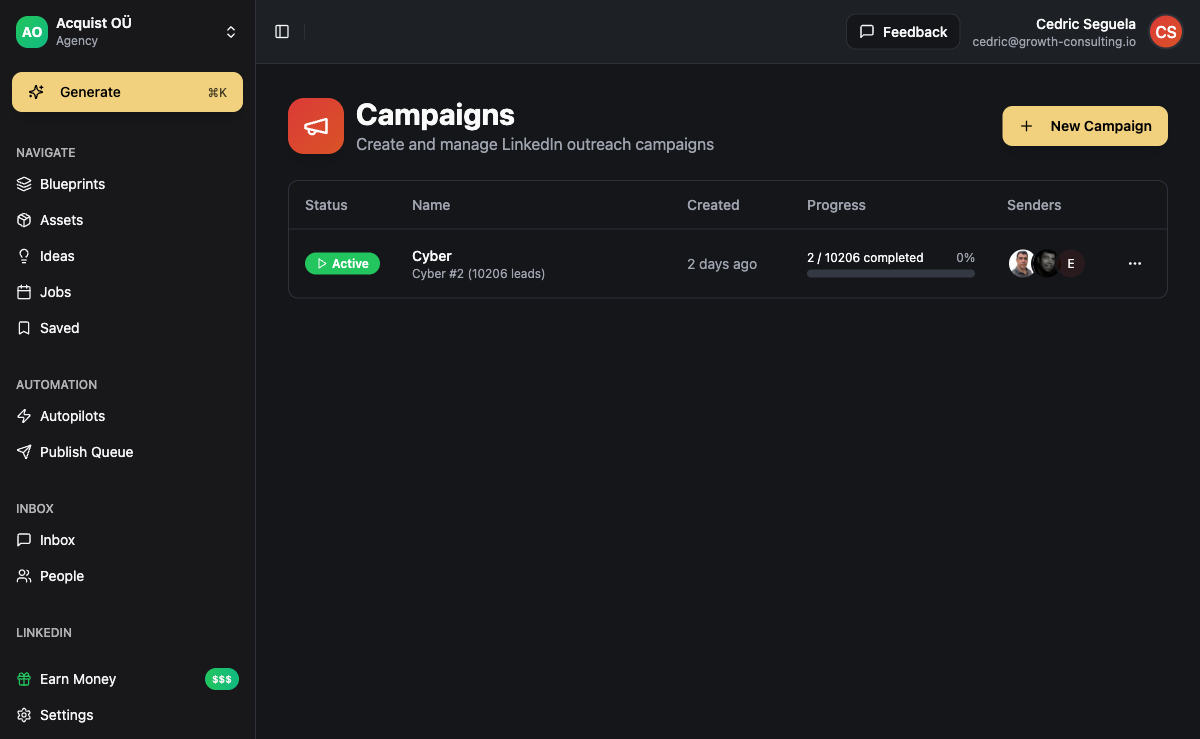
- Activate the campaign and monitor replies in the LinkedIn inbox - LinkedIn, email, and WhatsApp replies all appear in one unified view, sorted by engagement state
For teams using n8n for workflow automation, ACA's MCP integration allows n8n workflows to trigger campaign actions, push new leads from external sources, or pull reply data for CRM updates - connecting LinkedIn outreach to your broader sales operations stack without custom API development.
The BYOK model means your AI personalization costs are direct - no per-seat AI markup. In our experience, agencies using ACA for LinkedIn automation run delivery costs well under $80/month for AI infrastructure, compared to $79-$99/seat/month for dedicated LinkedIn tools that cover LinkedIn alone.
Related reading: AI Cold Email: How to Scale Outreach Without Killing Deliverability | B2B Lead Generation with AI: 7 Strategies That Fill Pipelines
Frequently Asked Questions
Is LinkedIn outreach automation against LinkedIn's terms of service?
LinkedIn prohibits bot-like activity, scraping, and bulk messaging that violates community standards - but does not prohibit using third-party tools to assist with outreach. The risk comes from volume abuse and behavior patterns that look robotic, not from the use of automation tools per se. Cloud-based tools that send at human-paced intervals with personalized messages, operating within conservative daily limits (15-25 connection requests per day), produce behavior patterns that LinkedIn's systems treat as normal user activity. Accounts get restricted when they send 100+ connection requests per day, use browser-level automation, or generate high spam-report rates from low-quality generic messages.
How many LinkedIn connection requests can I send per day safely?
The conservative safe limit is 15-25 connection requests per day per account. Accounts with strong history and high Social Selling Index (SSI) scores may handle up to 30-40 without issues. For new accounts or accounts that have had restrictions, start at 5-10 per day for the first 2-4 weeks, then gradually increase. The other metric to watch is acceptance rate - if your acceptance rate drops below 25%, reduce volume and improve your targeting or connection note before scaling back up.
What is the difference between LinkedIn InMail and connection request outreach?
Connection requests are free and go to 2nd and 3rd-degree connections. They allow a note of up to 200 characters and, once accepted, open the door to direct messages. InMail is a paid feature (via Sales Navigator) that reaches people who are not yet connections - bypassing the connection step entirely. InMail has higher visibility but is limited to roughly 50 credits per month with a standard Sales Navigator subscription. For most outreach campaigns, connection requests are the right starting point because they are free and build a genuine network. Reserve InMail for high-value prospects where you do not have their email address and want guaranteed delivery.
Can I automate LinkedIn InMail?
Yes - InMail can be included in automated sequences, but it requires a Sales Navigator account and operates within LinkedIn's credit limits. Platforms that support InMail automation (including ACA) integrate with Sales Navigator via the Unipile API. The practical constraint is volume: 50 InMail credits per month means InMail is a targeted tool, not a mass outreach channel. Use it in sequences as a step that fires only for prospects who have not responded to connection request attempts and show specific signals that make them worth the credit spend.
How do I maintain LinkedIn account safety when running outreach for multiple clients?
The key rules for maintaining account safety across client accounts: use cloud-based tools with dedicated IP addresses per account (not browser extensions sharing your IP), stay within the daily limits above, ensure each client uses their own LinkedIn account (never merge client outreach through a single personal account), warm up new accounts gradually over 2-4 weeks, and ensure every campaign uses personalized messaging with acceptance rates above 25%. Monitor each account's LinkedIn SSI score weekly - a dropping score is an early warning signal before any formal restriction. If an account receives a warning, pause it immediately for 7-14 days before resuming at lower volume.
Do I need Sales Navigator for LinkedIn outreach automation?
No. Basic LinkedIn outreach automation - connection requests and messages to 2nd and 3rd-degree connections - works with a free or LinkedIn Premium account. Sales Navigator adds InMail credits, advanced search filters, and lead tracking, but is not required for effective automated outreach sequences. Many agencies run high-performing LinkedIn campaigns using personal LinkedIn accounts combined with Apify-based lead imports that provide targeting precision comparable to Sales Navigator's search filters, at a fraction of the cost.